

Creating an organized home office can dramatically improve your productivity and overall work satisfaction. When everything has its place, distractions are minimized, and your focus sharpens. Whether you’re working full-time from home or just need a comfortable spot for occasional tasks, a well-organized workspace is essential. Here are practical tips to help you get your home office in order and stay productive throughout the day.
Why Organizing Your Home Office Matters
Before diving into tips, it’s useful to understand why organization impacts productivity. A messy or cluttered workspace can:
– Distract you and break concentration.
– Make it harder to find important documents or tools.
– Increase stress and reduce motivation.
– Lead to wasted time managing clutter instead of working.
On the other hand, a tidy and thoughtfully arranged office promotes focus, efficiency, and a positive mindset.
Assess Your Space and Needs
Choose the Right Location
Select a space dedicated to work where you can focus with minimal interruptions. Ideally, choose a quiet area with good natural light. If space is limited, even a corner of a room can be turned into a productive workspace.
Identify Your Work Essentials
Make a list of everything you need during a typical workday: computer, printer, notebooks, pens, files, chargers, etc. This helps determine your storage and layout needs.
Organize Your Desk for Efficiency
Clear the Surface
Keep your desk surface free of non-essential items. Limit what stays on your desk to the tools you use daily. This reduces visual clutter and makes it easier to focus.
Use Desk Organizers
Invest in organizers like pen holders, trays, and file organizers. These keep items in order and within easy reach.
Manage Cables
Use cable clips or ties to bundle computer and charger cords. This not only improves appearance but also prevents tangling and damage.
Optimize Storage Solutions
Implement Vertical Storage
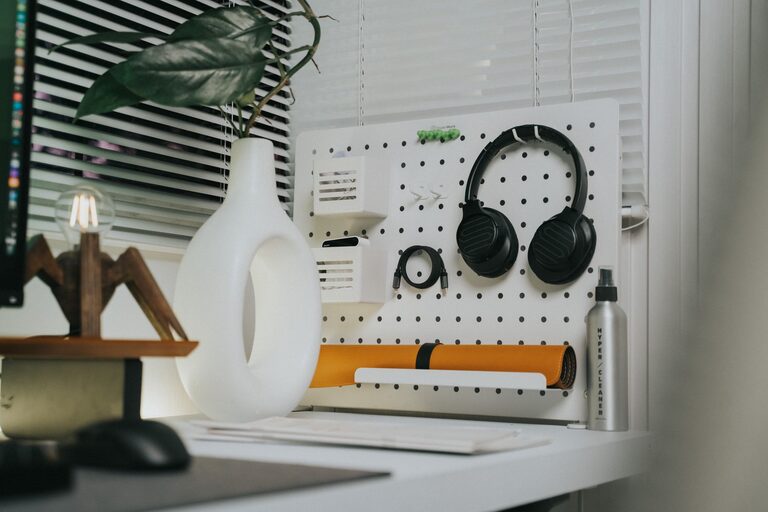
Use wall shelves, pegboards, or hanging organizers to save desk space and keep frequently used items accessible.
Label Everything
Labeling drawers, boxes, and folders helps you quickly locate items and maintain order over time.
Use Filing Cabinets or Boxes
Store papers, bills, and documents in clearly labeled filing systems. Consider digital filing for documents you can scan and save electronically.
Create an Effective Workflow
Designate Zones
Assign specific areas in your office for different tasks or items, such as a printing zone, supply zone, and work zone. This structure streamlines daily activities.
Keep a To-Do List Visible
Place a whiteboard, corkboard, or planner near your desk to track tasks and deadlines. This visual aid keeps you focused and organized.
Schedule Regular Cleanups
Set aside a few minutes at the end of each day or week to tidy your desk and put things back in their places. Consistency keeps clutter from building up.
Improve Comfort and Lighting
Ergonomic Setup
Choose a comfortable chair and position your monitor at eye level to prevent strain. Proper ergonomics improve comfort and focus.
Maximize Natural Light
Natural light boosts mood and energy. Position your desk near a window, and supplement with adjustable desk lamps as needed.
Add Personal Touches
Include a few decorations such as plants, photos, or artwork to create an inviting environment. Just avoid overdecorating, which can become distracting.
Use Technology to Stay Organized
Digital Tools
Leverage apps and software for task management, note-taking, and scheduling. Popular options include Trello, Evernote, and Google Calendar.
Declutter Your Computer Desktop
Keep your desktop organized with clearly labeled folders. Delete or archive files you no longer need to maintain a clean digital workspace.
Manage Distractions
Keep Non-Work Items Separate
Avoid mixing household items or unrelated materials in your workspace.
Set Boundaries
Communicate your work hours and space to family or roommates to minimize interruptions.
Final Thoughts
Organizing your home office is a powerful step toward boosting productivity and enjoying your work-from-home experience. By creating a clutter-free environment that supports your workflow, you can reduce stress and enhance focus. Start small by tackling one area at a time, and maintain your setup with daily habits. With an organized space, you’re setting yourself up for success every day.